3.20 Pixels and Detail: How Big Should the Picture File Be?
use pixel counts and simple wave math to explain the trade-off between image detail and file size when the station sends a picture.
- I can explain specific features that make digital transmission of signals more reliable than analog transmission, such as how digital information can be recorded reliably, stored for future recovery, and transmitted over long distances without significant degradation.
- I can describe at least one technology that uses digital encoding and transmission, and explain how digitization has helped advance science or scientific investigations.
- I can explain that waves are repeating patterns and describe how they repeat over time and space.
- I can identify and describe frequency as the number of times a wave pattern repeats in a certain amount of time, amplitude as the maximum distance from the average position, and wavelength as the distance between repeating parts of a wave.
- I can use a simple mathematical wave model to match wave characteristics (frequency, amplitude, wavelength) with what I observe in real-life examples, like how frequency relates to pitch and amplitude relates to volume.
Phase 4: Build
Warm-Up ~5 min
Do Now. Zoom far into a phone photo. What do you finally see? Why does the cell picture get blocky instead of showing more detail?
A picture is 100 pixels wide and 100 pixels tall. How many pixels does it have?
Instruction ~10 min
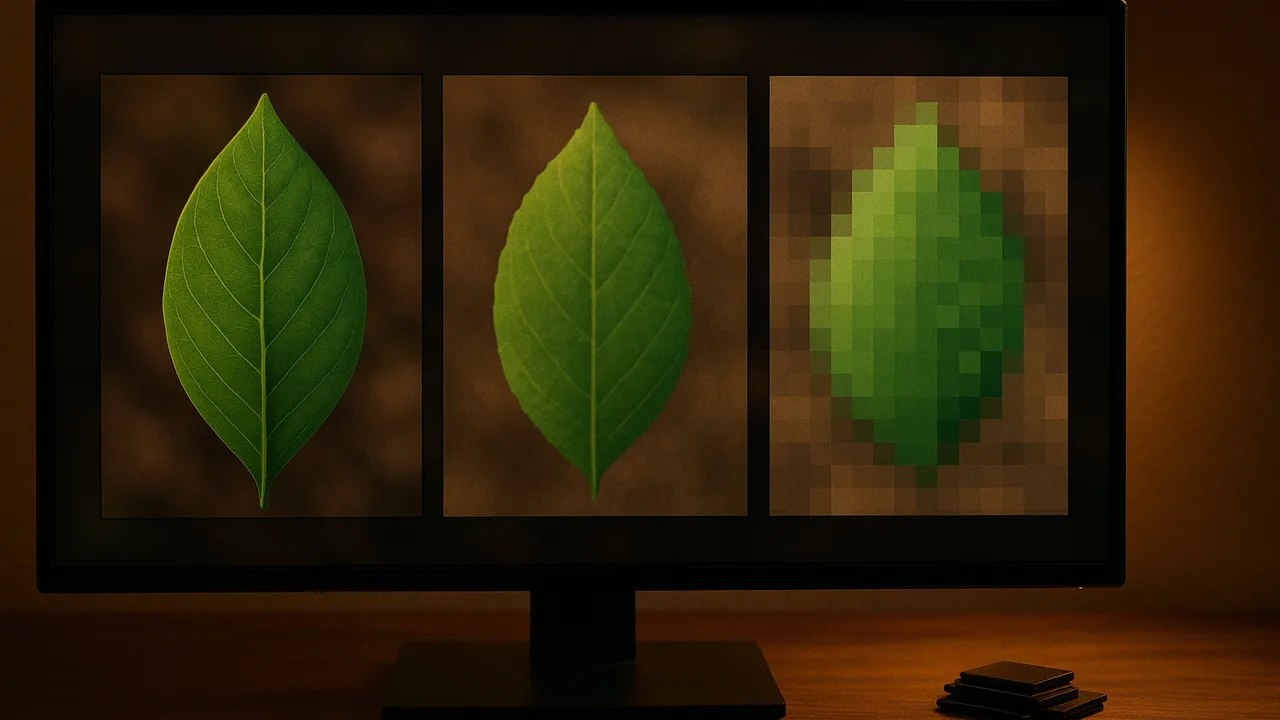
Pixels set the detail. A digital image is a grid of pixels. More pixels across a cell means more detail in that cell. If a cell covers only 5 pixels, its nucleus may be a single blur. If it covers 50 pixels, the nucleus has its own shape.
Worked example 1: doubling the width and height (sample data). A 640 × 480 image has 307,200 pixels. A 1280 × 960 image has 1,228,800 pixels. Doubling both width and height makes 4 times as many pixels. If each pixel takes 3 bytes before compression, the files are about 0.9 MB and 3.7 MB. Phones shrink files with compression, but the pattern holds: more pixels, bigger file. On a slow connection, a file 4 times larger takes about 4 times as long to send.
Waves carry the picture. The picture started as light waves entering the camera, and the phone sends the file using radio waves. Both are repeating waves. Wavelength is the distance from one crest to the next. Amplitude is the height from the middle line to a crest. Frequency is how many waves pass a point each second. In light, a bigger amplitude means brighter light, and different frequencies are different colors. In sound, a bigger amplitude means louder, and a higher frequency means a higher pitch.
Worked example 2: reading a wave diagram (sample). A diagram shows 4 full waves across 20 cm, and the crests rise 3 cm above the middle line. Wavelength = 20 cm ÷ 4 = 5 cm. Amplitude = 3 cm. If 6 crests pass a point in 2 seconds, frequency = 6 ÷ 2 = 3 waves per second (3 hertz).
| Image setting | Width × height | Total pixels | Pixels across one cell | File size on phone | Can we label the nucleus? |
|---|---|---|---|---|---|
| Small | |||||
| Medium | |||||
| Large |
Guided Exercises ~15 min
Save the same onion photo at three sizes, then work through these blocks.
Independent Practice ~10 min
Choose your setting.
Fill in the pixel table for your three saved sizes. Which setting will your station use? Defend it with numbers.
Draw a wave and label its wavelength and amplitude. Then draw a second wave with the same wavelength but twice the amplitude. Which would look brighter as light?
Closure ~5 min
You can now explain the numbers behind a picture. Next class: the mid-build checkpoint.
Exit ticket: why is “more pixels” not always better for the clinic? Use the words detail and file size.
How confident are you that you can I can explain how digital images store and send detail.
Teacher notes
Materials: a team photo of onion cells, a free image editor or the phone’s resize feature, calculators, a rope or a coiled spring toy to show wavelength and amplitude.
Setup: file sizes vary by device and compression; treat the 3-bytes-per-pixel figure as an uncompressed estimate. Keep radio-wave talk at “waves carry the 0s and 1s”; device mechanisms are outside the boundary.
Listen for: “doubling the sides doubles the pixels” (it is 4 times when both sides double); amplitude confused with wavelength.
Support / stretch: use grid paper to count pixels. Stretch: find the pixels when both sides triple (9 times).