4.02 Project Brief and Wonder Board: The Backup Alert Challenge
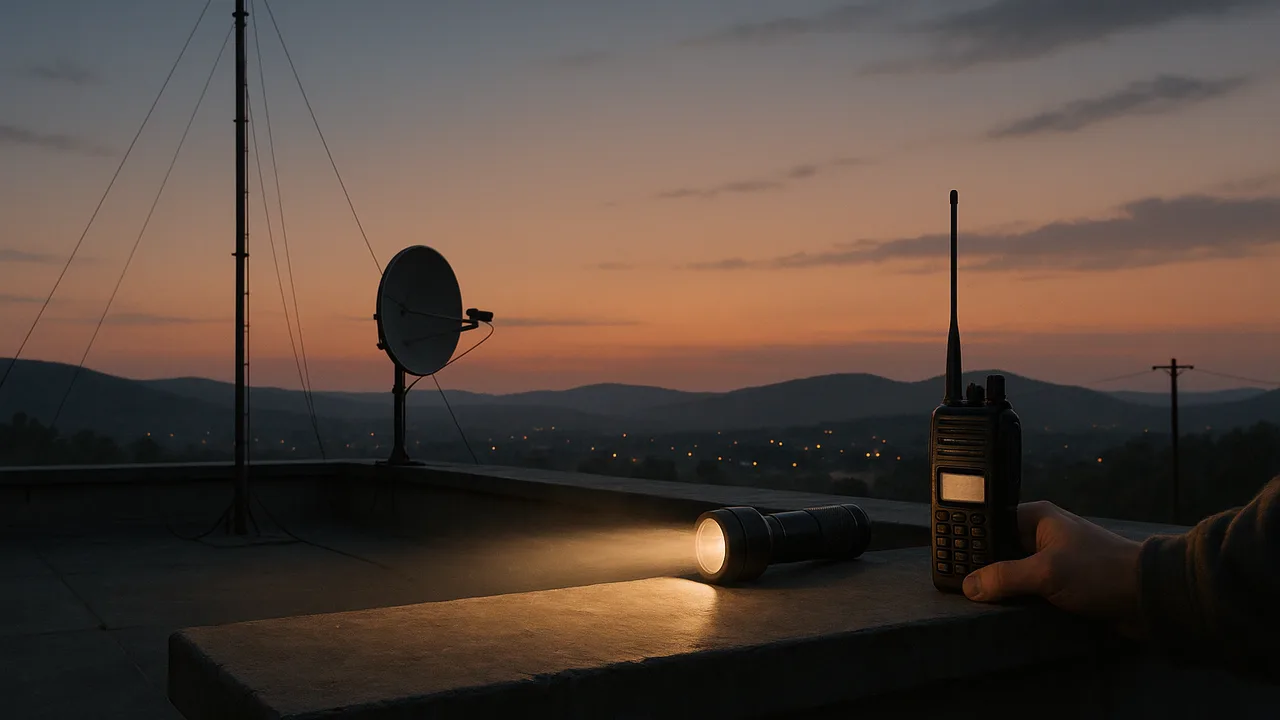
Waves at Work: A Backup Alert Link and Technical Brief
How do waves carry information and energy fast and reliably enough to warn a community, and how can we build and explain a backup link that still works when the usual network fails?
The mystery: When a fault ruptures, phones tens of kilometers away can buzz with an earthquake alert seconds before the strong shaking arrives. How can a warning outrun the earthquake itself?
Questions we will figure out together in this unit:
- How can an alert reach a phone before the shaking does?
- Why do waves change wavelength but not frequency in a new material?
- Is digital always better than analog?
- How does a phone know whether a flash of light means 1 or 0?
- How does light stay inside a bent glass fiber?
- Is light a wave or a stream of particles?
- Why can a solar cell make electricity from sunlight but not from a TV remote’s beam?
- Are microwave ovens and cell phones dangerous radiation?
explain the emergency office’s request, describe how information can ride on a wave as digital bits, and organize the criteria, need-to-knows and team roles for our backup alert link and technical brief.
- I can provide examples of features of digital transmission and storage, such as reliable storage, easy transfer, rapid copying and sharing, easy deletion, risk of theft, and broad access.
- I can discuss the real-world problem or need that each device addresses, and explain how people or society depend on it.
Phase 1: Spark
Warm-Up ~5 min
Do Now. List every way an emergency message could reach you today: a phone alert, a siren, radio, TV, a neighbor. Which ones would still work if the cell network went down?
A team flashes a flashlight to send a 16-bit code across a room, one bit every half second (on = 1, off = 0). How long does the message take?
Instruction ~10 min
Meet the client. A county emergency management office runs a community preparedness night each year. Residents ask how earthquake and storm alerts reach their phones, what happens if the cell network fails, and whether the solar panels on the office roof will keep its sensors running in a blackout. The office manager has asked our class for two things: (1) a working classroom-scale backup alert link that sends a short digital alert code across a room using a wave, to demonstrate on preparedness night, and (2) a technical brief that explains, for residents and the county board, how wave-based devices carry information and energy.
Your mission. Signal engineers, your team will design, build and test the link, then write and defend the brief. The brief must cover at least two devices, and one of them must use the photoelectric effect (a solar cell, a phone’s light sensor or a camera chip).
Class criteria and constraints for the backup alert link (set in 4.02, weighted in 4.07). Criteria: (1) it sends a 16-bit test code across at least 5 m with zero bit errors in 3 of 3 trials; (2) it runs at 1 bit per second or faster; (3) it works with normal room lights on; (4) it includes a parity bit that flags any single-bit error. Constraints: classroom or household materials only (LEDs, flashlights, phone apps, cardboard tubes, small solar cells); no lasers aimed across the room; sound no louder than normal speech; battery power of 9 V or less, never an outlet; at most 10 sample budget points; two build periods.
Worked example 1: information on a wave. A wave can carry information if someone changes it in a pattern the receiver can read. Turning a light on and off in time slots is the simplest digital code: on = 1, off = 0. The letter A in the common ASCII code is 01000001. Add an even parity bit: count the 1s (two), already even, so the parity bit is 0 and the sent byte plus parity is 010000010. If one bit flips on the way, the receiver counts an odd number of 1s and knows the message is damaged.
Worked example 2: why digital for alerts? Lena listed features of digital transmission and storage that matter to the county: a digital alert can be copied to thousands of phones with no loss; it can be stored and resent; it can be checked for errors; it can be encrypted so fake alerts are harder to send. She also listed risks: digital systems depend on power and networks, a stored message can be deleted or stolen, and a damaged bit in a compressed file can corrupt much more than one bit.
Team roles. Teams of three or four rotate weekly: Project Manager (schedule, criteria, budget), Signal Lead (transmitter and code), Receiver Lead (detector, threshold and error counts) and Communications Lead (diagrams, the brief’s drafts and the preparedness-night demo).
Guided Exercises ~15 min
Work as a new team. Discuss each card before answering.
Independent Practice ~10 min
Set up the project pages in your Signal Notebook.
Write the office's problem in two or three sentences: who needs what, why people depend on alerts, and how we will know our link works. Then list three features of digital transmission or storage that help the county and two that could hurt it.
Add your three best need-to-know questions to the Wonder Board, and say which lesson ahead you think will answer each one.
Closure ~5 min
We have a client, two products, criteria and teams. Next phase we investigate: first, measuring wave speed on a string.
Exit ticket: which criterion do you expect to be hardest to meet, and why?
How confident are you that you can I can explain the client's need and describe how a wave can carry digital information with error checking.
Teacher notes
Materials: printed client brief (a generic letter from a county emergency management office), Wonder Board chart paper, role cards, a flashlight and an ASCII table.
Setup: the client is fictional and generic; if a local emergency manager will join by video, adapt the letter. Budget points are sample values. Post the criteria and constraints all unit.
Listen for: “digital signals are not waves”; parity confused with error correction (parity detects, it does not fix); criteria confused with constraints.
Support / stretch: give a parity-check practice sheet. Stretch: design a code that can tell which bit flipped, not just that one did.