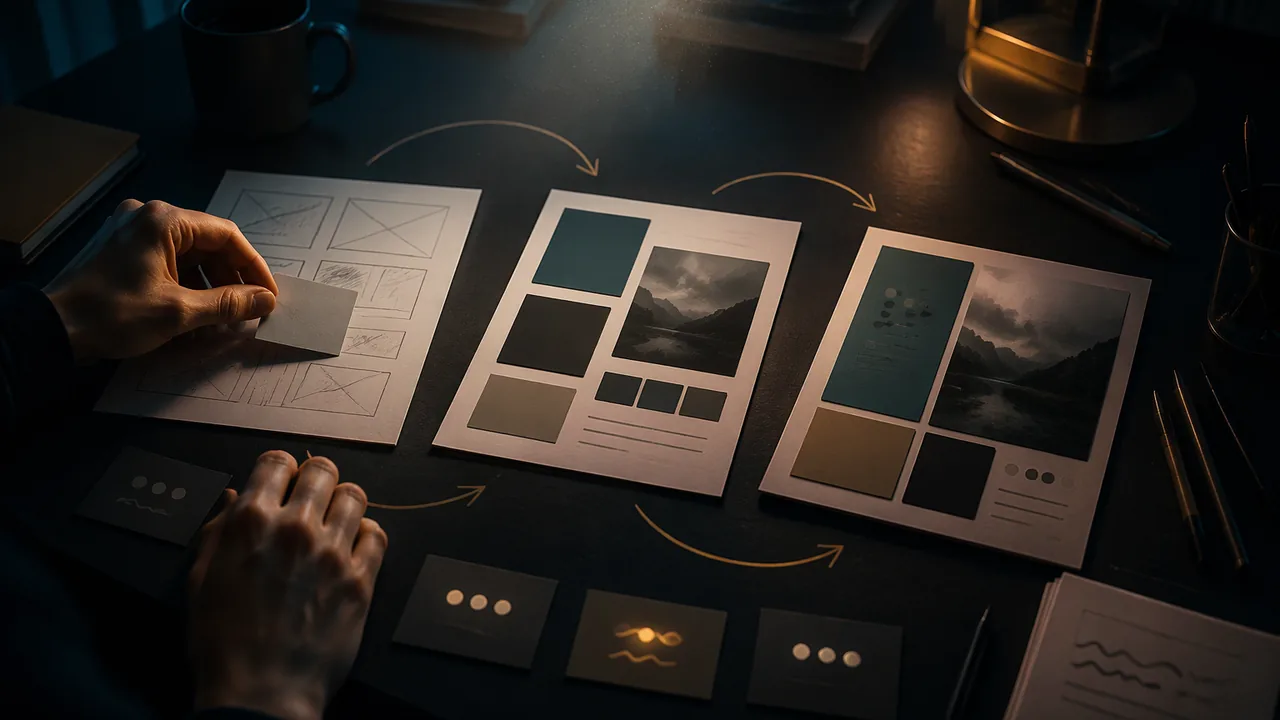
move a design through rough, comp and final stages, manage versions and backups professionally, and use feedback to make and document purposeful revisions.
Instruction
Design is a loop, not a line. No professional gets it right the first time. The design process cycles: make a version, get feedback, evaluate, revise, and go around again until the design meets its criteria or the deadline arrives. The record for this course calls this trial, evaluation and refinement. Mistakes are information.
The stages of a design. Studios commonly name the stages. Thumbnails are tiny concept sketches (Unit 2). Roughs are larger, full-size sketches or quick digital layouts that test composition and hierarchy with real headline text. Comps (comprehensive layouts) look close to finished, with chosen type, colors and images, and are what a client approves. The final is the corrected, production-ready file. Each stage answers different questions, so each needs different feedback: at the rough stage ask “Is the idea clear?”, not “Is that the right shade of green?”
Getting useful feedback. Ask specific questions tied to your criteria: “What do you notice first?” “What is this asking you to do?” “Where did your eye get stuck?” Separate feedback on goals (“I cannot find the date”) from feedback on taste (“I don’t like purple”). Goal feedback is almost always worth acting on. Taste feedback matters when it comes from the audience or the client, and less when it comes from someone outside the audience. You do not have to take every suggestion, but you should record every one and decide on purpose.
Worked example. A student’s rough poster gets three comments: (a) “I read the logo before the event name”; (b) “The photo is great”; (c) “I’d use blue.” Comment (a) points to a hierarchy problem, so the student reduces the logo and enlarges the event name. Comment (b) says keep the photo. Comment (c) is taste from someone outside the audience, so the student notes it and tests it only if time allows. The change log records all three and what was done.
Versions and file names. Never work on your only copy, and never name a file final_FINAL_2.svg. Use a consistent pattern: client_project_v01.svg, v02, v03. Save a new version before any major change (File > Save As) so you can always go back. Keep a short change log: date, version, what changed, why.
Back up. A widely used rule is 3-2-1: keep three copies of important work, on two different kinds of storage, with one copy somewhere else (such as a parent-approved cloud folder). Lost work is the most common, and most avoidable, disaster in a design course.
Managing time and responsibility. Iteration can go on forever, so set a limit. Plan backward from the deadline: final due Friday means comp approved by Wednesday and rough feedback by Monday. When you work for a client, deliver each version on the date you promised, or tell the client early that you cannot.
Knowing when to stop. A design is done when it meets the criteria, not when it is perfect. Last-minute changes that are not tied to the criteria often add risk, such as new typos or broken layouts, rather than value.
📖 Read for this lesson
The reading opens over the lesson; close it to come back to exactly where you were. The checks below draw on it.
Formative check
Work through these before moving on. They are not graded — they tell you whether the standard below has landed yet.
Which feedback should you almost always act on?
Which file name follows a professional version pattern?
Thumbnail
Tap to revealTiny concept sketch: is there an idea?
Rough
Tap to revealFull-size layout: is the composition and hierarchy clear?
Comp
Tap to revealNear-final: does the client approve the look?
Final
Tap to revealCorrected, production-ready file
3-2-1 backup
Tap to revealThree copies, two kinds of storage, one elsewhere
Copy two entries from your change log. For each, give the feedback you received, the change you made, and why that change serves your criteria.
How confident are you that you can manage versions and backups and revise a design purposefully from feedback?
Iteration Workshop Sheet: A Worked Rough, Sorted Feedback, a Change Log and File Names
SLS original worked example; constructed poster and feedback · SLS original
Why this reading. The workshop asks you to make version 2 of your design, keep a change log and record feedback. This sheet supplies a worked case, the food bank poster from the Unit 2 readings, so you can see what a rough, a comp and a change log look like. SLS original; the poster and the feedback are constructed.
Version 1 (rough), described
File: valleyharvest_poster_v01.svg, letter size, black and white. The logo, 2.5 in. wide, sits at top left; the headline “Build Saturday” is 36 pt below it; a crate drawing fills the middle; the day and time are 12 pt at the bottom; the scan code is 0.75 in. square in the bottom right corner.
Feedback received, sorted
| Comment | Goal or taste? | Decision |
|---|---|---|
| “I read the logo before the event name.” | Goal (hierarchy) | Act: logo reduced to 1.25 in.; headline to 54 pt |
| “I could not find the time.” | Goal (findability) | Act: day and time moved under the headline, 24 pt |
| “The crate drawing is great.” | Goal (keep) | Keep unchanged |
| “I would use blue.” | Taste, from outside the audience, and the job prints black and white | Note it; do not act |
| “The code is tiny.” | Goal (function) | Act: code enlarged from 0.75 to 1.25 in. |
Change log
| Date | Version | What changed | Why (feedback) |
|---|---|---|---|
| Oct. 2 | v02 | Logo 2.5 to 1.25 in.; headline 36 to 54 pt | Logo read before headline; the headline is now 54 ÷ 36 = 1.5 times its old size |
| Oct. 2 | v02 | Day and time to 24 pt beneath the headline | Two testers could not find the time |
| Oct. 3 | v03 | Scan code 0.75 to 1.25 in. | Code hard to scan from 3 feet |
Stages and file names
Thumbnail (concept) → rough (full-size layout with real headline) → comp (chosen type, colors, images; what a client approves) → final (corrected, production-ready). Ask at the rough “Is the idea clear?” and at the comp “Is this what you want?” Name files valleyharvest_poster_v01.svg, _v02, _v03; do not overwrite. Before any big change, Save As.
Backup and time
3-2-1: three copies, on two kinds of storage, one somewhere else (for example the school cloud drive). Plan backward: final due Friday, comp approved Wednesday, rough feedback Monday. Stop when the criteria are met.