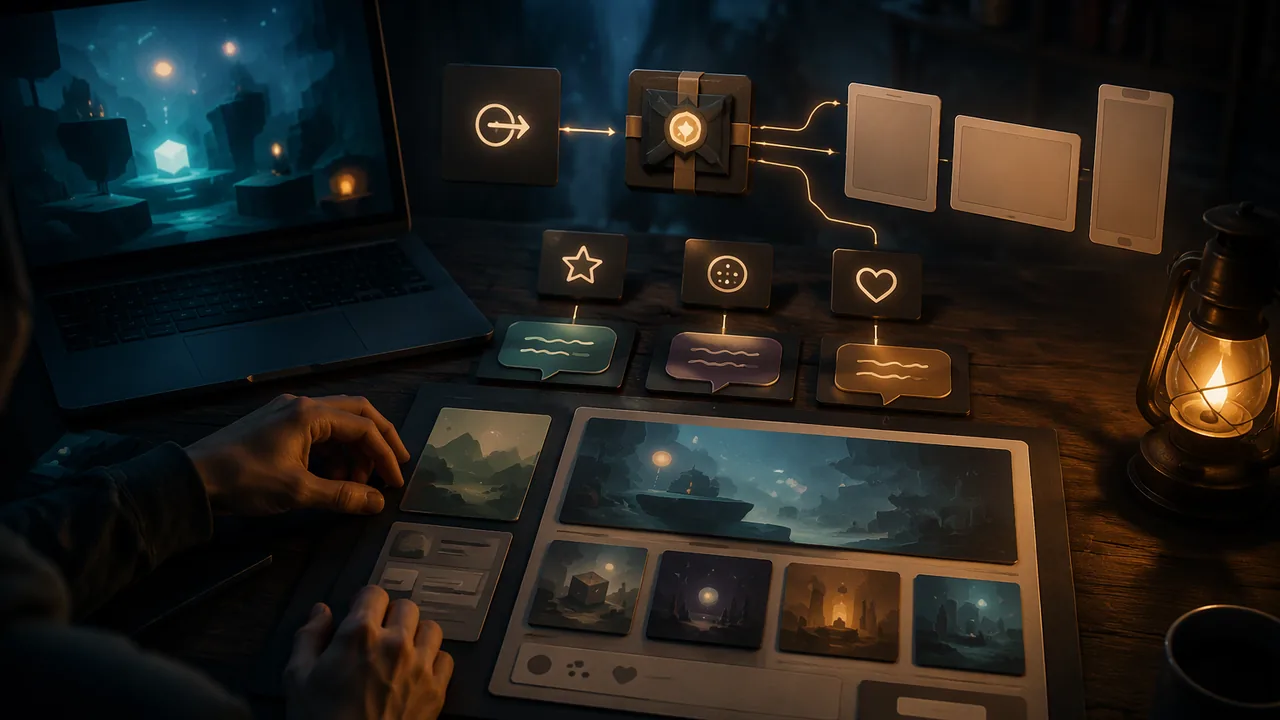
export my game for the web and package it correctly, prepare store images at the right resolution, plan its ratings and localization for three countries, and draft a mock-up store page and marketing materials that follow disclosure rules.
Instruction
A game nobody can find is a game nobody plays. Publishing, rating, marketing and distribution are as much part of making games as programming, and small teams do all of them themselves.
Who does what. A developer makes the game. A publisher may fund development (often as an advance recovered from sales), handle marketing, ratings and localization, and take a share of revenue. A platform holder or distributor runs the store (a PC storefront, a console store, a mobile app store, a subscription service) and takes a share of each sale. Physical retailers still matter for some console games. Independent developers often self-publish, keeping control and revenue but doing all the work. Games are also funded by crowdfunding, grants and early-access sales.
Distribution options. PC storefronts reach large audiences but are crowded. itch.io is popular with independent and student developers and lets creators set their own revenue share. Console stores require an approved developer account. Mobile stores reach phones but make discovery hard. Subscription services pay the publisher rather than charging per sale. Web portals host browser games. Each has different fees, rules and audiences; read the current terms.
Ratings. Many countries rate games for age suitability. The ESRB rates games in the United States and Canada (E, E10+, T, M, AO); PEGI covers most of Europe (3, 7, 12, 16, 18); USK rates in Germany; CERO in Japan. The IARC system lets developers on many digital storefronts answer one questionnaire and receive ratings for participating regions. Some countries go further and require government approval before a game can be sold. Content that earns one rating in one country can earn a different one elsewhere, so plan early.
Localization is more than translation. Text length changes (many languages need more space than English), some languages read right to left, dates and numbers are written differently, and symbols, gestures, colors and humor carry different meanings. Godot supports translation files, so every player-facing string should go through them rather than being typed into scenes.
Marketing. Players decide in seconds. A store page needs a clear title and capsule image, a one-sentence hook, five or more screenshots that show play (not menus), a short trailer whose first seconds show the game being played, and an honest description with accessibility features listed. Beyond the page: devlogs, short gameplay clips, festivals and showcases, a press kit, and community management, which means being present, answering questions and treating players with respect. When anyone promotes a game because they were paid or given something, the FTC’s Endorsement Guides require clear disclosure of that connection; the same applies to game journalism and streaming, where readers should look for disclosures of free review copies or sponsorships when judging bias.
Web export (the build). Godot exports to the web as HTML5, using WebAssembly and WebGL 2. Since Godot 4.3 the default web export is single-threaded, which works on more hosting sites, including itch.io, without special server settings. (Projects written in C# cannot currently be exported to the web from Godot 4; GDScript projects can.) An exported web game is a folder of files, index.html plus JavaScript, WebAssembly and a .pck data file, that must be served by a web server; double-clicking index.html will not work. Godot’s one-click deploy button (top right of the editor) offers Run in Browser, which starts a local server for testing. For itch.io, the files are zipped with index.html at the top level and uploaded as an HTML project. (Adapted from the Godot documentation’s “Exporting for the Web”, CC BY 3.0, and itch.io’s HTML5 upload guide.)
Files in, files out. Publishing is mostly careful file handling. Godot downloads its export templates once (Editor > Manage Export Templates), then converts your project into a different format for each platform: for the web, an index.html page with .js, .wasm and .pck files and a .png splash image. A host uploads the build as a single .zip. itch.io’s HTML5 documentation, for example, says the zip must contain a file called index.html, should hold no more than 1,000 files after extraction, no more than 500 MB in all and no single file over 200 MB. Size also decides how long players wait. Godot’s documentation notes that the WebAssembly file compresses to about a quarter of its size with gzip, but that some hosts, itch.io among them, do not compress files as they send them, so trimming large textures and audio is what makes a web build load faster. Keep the project, the export folder and the zip as separate, dated items, and copy them to a second place such as a USB drive. (Sources: Godot documentation, “Exporting for the Web”, CC BY 3.0; itch.io creator documentation, “Uploading HTML5 games”.)
Store images: resolution for the intended use. Store art is specified in pixels, not inches, because it is shown on screens. Steam’s Steamworks documentation, for example, asks for a header capsule of 920 × 430 pixels, a main capsule of 1232 × 706 and screenshots of at least 1920 × 1080 in a 16:9 widescreen shape. Work from your largest original: crop to the target’s shape first, then scale down to the exact pixel size (in GIMP, Image > Canvas Size or the Crop tool, then Image > Scale Image; Krita has the same commands under Image). Scaling a small image up adds no detail and looks soft, and stretching it to a different shape distorts it. The pixels-per-inch number stored in a file does not change how an image looks on screen; it matters only when you print, for example your poster. Keep a PNG master (lossless, sharp for pixel art and text) and export a JPG copy where a smaller, photo-like file is wanted, and note both file sizes.
Your store page is a mock-up. In this course you design the store page as a document (in a word processor, a slide or an image editor) laid out like a real one; you never create an account on a store or hosting site. Your web export stays on your own computer and its backup. Share it, for example by giving a relative the zip on a USB drive, only with a parent’s or guardian’s permission.
📖 Read for this lesson
The reading opens over the lesson; close it to come back to exactly where you were. The checks below draw on it.
Build: Web export and a playable browser build
Question. Can you export your game as a web build that loads and plays correctly in a browser, package it as a zip that meets a host’s rules (without uploading it), and make store images at the exact sizes a store asks for?
Materials
- Your game project in the Godot 4 desktop editor (4.3 or later) with export templates installed (Editor > Manage Export Templates > Download and Install)
- A current desktop browser (Chrome, Edge or Firefox)
- A zip utility (built into Windows, macOS and ChromeOS)
- GIMP or Krita (free, no account) for the store images
- Your mock-up store-page draft
- Keep ergonomic habits and 20-20-20 breaks.
- Export to a new folder outside the project folder, never into it, and keep the project backed up.
- Do not upload anything or create an account on any store or hosting site. Keep the zip on your own computer or a USB drive, share it only with a parent’s or guardian’s permission, and include no personal information in the game or its files.
Procedure
- Open Project > Export, click Add and choose Web. If Godot reports missing export templates, use the link to download and install them. Tick Runnable for the preset.
- Use the one-click deploy button at the top right of the editor, which offers Run in Browser once the Web preset is runnable. Play the game through once in the browser and note anything that behaves differently from the desktop version (audio starting only after a click is normal on the web).
- Click Export Project, choose an empty folder named with your game and the date, name the file index.html and untick Export With Debug.
- Open the folder and list the files it contains. Select the files (not the folder) and compress them into a zip, so index.html sits at the top level of the zip.
- Test the build: play the exported folder in the browser through Godot’s Run in Browser server (or, if you have Python installed, the small local web server script in the Godot repository), and with a parent’s permission try it on a second family device. Record load time and any problems. Then check the zip against the host rules in the lesson: index.html at the top level, file count, total size and largest file.
- Make the store images: take a screenshot of play at 1920 × 1080 (set the window size in Project Settings > Display > Window, or capture the full-screen game), then in GIMP or Krita crop and scale a copy to exactly 920 × 430 for a header image. Export each as PNG and as JPG and record the pixel sizes and file sizes.
- Write a release note (version, what’s new, controls, accessibility options) and save the zip, the release note, the store images and the mock-up store page together in a dated portfolio folder.
Data
| Check | Result |
|---|---|
| Files in the export folder | |
| Zip size; number of files; largest file | |
| Load time in browser (s) | |
| Differences from desktop version | |
| Controls and settings work in browser? | |
| Header image: pixel size; PNG size; JPG size |
Analysis
- Why will index.html not run correctly when you double-click it, and how does Run in Browser solve that?
- What differed between the desktop and web versions, and how would you tell players about it on the store page?
- What would you cut or compress to make the web build load faster, and which image format did you keep for the header image and why?
If you cannot do this build in person: If exporting is not possible on your device, write the export and packaging steps as a numbered technical procedure, including the file list you expect (from the reading), the host rules your zip must meet and how you would test the build; make the store images from a drawing or a photo of your paper prototype in any free image editor, at the same pixel sizes.
Formative check
Work through these before moving on. They are not graded — they tell you whether the standard below has landed yet.
A publisher gives a small studio an advance to finish its game. What usually happens to the advance?
A team plans a release in the United States, Germany and Japan. Which set of rating bodies must they consider?
A streamer paid to play a game must clearly disclose that connection to viewers under the FTC’s Endorsement Guides.
Missouri standard: MM.FIL.3, MM.FIL.4
A host’s HTML5 rules say the zip must contain index.html, with no more than 1,000 files and no file over 200 MB. Your Godot web export folder holds index.html, index.js, index.wasm, index.pck and index.png. Which upload package is correct?
Missouri standard: MM.IMG.2
A store asks for a header image of exactly 920 x 430 pixels, and your best screenshot is 1920 x 1080. What should you do?
Draft your store page as a mock-up document (not a real store listing): title, one-sentence hook, five screenshot descriptions, a 100-word description with accessibility features, and your intended rating in the U.S. and two other countries with the reason for each. Add one sentence on how you would manage your game’s community.
How confident are you that you can export a web build and plan ratings, localization and marketing for my game?
Practice
Work these on paper or in your notebook, then open Check your answer. Aim for all of Fluency and Application; try at least one Challenge.
Printable version: this unit’s practice workbook (PDF)
Fluency
Build speed and accuracy with the core skill.
- Match each rating body to where it rates: ESRB, PEGI, USK, CERO. What does IARC do?
Check your answer
Answer: ESRB: United States and Canada. PEGI: most of Europe. USK: Germany. CERO: Japan. IARC lets developers on many digital storefronts answer one questionnaire and receive ratings for participating regions.Some countries require government approval before sale. - List three ways localization is more than translation.
Check your answer
Answer: Any three: text length changes (many languages need more space); some languages read right to left; dates and numbers are written differently; symbols, gestures, colors and humor carry different meanings.In Godot every player-facing string should go through translation files. - What files does a Godot web export contain, and why does double-clicking index.html not work?
Check your answer
Answer: index.html plus .js, .wasm and .pck files (and a .png splash). It must be served by a web server; Run in Browser starts a local server for testing.Since Godot 4.3 the default web export is single-threaded, which works on more hosting sites.
Application
Use the skill in context. Show your reasoning.
- Check this zip against the host rules in the lesson (index.html at the top level, no more than 1,000 files, no more than 500 MB, no file over 200 MB): it holds a folder named mygame_web containing index.html and 1,240 files, total 380 MB, largest 210 MB. List every problem.
Check your answer
Answer: index.html is inside a folder, not at the top level; 1,240 files is over 1,000; the 210 MB file is over 200 MB. The 380 MB total is fine.Zip the files themselves, not the folder, and trim large textures and audio. - Your best screenshot is 1920 × 1080 and you need a 920 × 430 header. What crop size keeps the full width and the header’s shape, and what scale factor then gives the exact size?
Check your answer
Answer: Crop to about 1920 × 897, then scale by about 0.479 (920 ÷ 1920) to 920 × 430.Height = 1920 × 430 ÷ 920 ≈ 897.4. Crop to the shape first, then scale down; never stretch or scale up. - Which of these meet the Steamworks screenshot guidance in the lesson (at least 1920 × 1080, 16:9)? (a) 1280 × 720; (b) 1920 × 1080; (c) 2560 × 1440; (d) 1920 × 1200.
Check your answer
Answer: (b) and (c).(a) is 16:9 but too small. (c) is 16:9 (2560 ÷ 1440 ≈ 1.78) and larger. (d) is 16:10 (1920 ÷ 1200 = 1.6), not 16:9. - A streamer received a free copy of your game and a payment to play it. What must happen under the FTC’s Endorsement Guides, and why does it matter to viewers?
Check your answer
Answer: The streamer must clearly disclose the connection (the payment and the free copy), so viewers can judge whether the endorsement is biased.The same applies to game journalism; readers should look for disclosures of free review copies or sponsorships. - Explain the roles of developer, publisher and platform holder, and what happens to a publisher’s advance.
Check your answer
Answer: The developer makes the game; a publisher may fund it, handle marketing, ratings and localization and take a revenue share; the platform holder runs the store and takes a share of each sale. An advance is usually recovered from the game’s sales before the developer receives further revenue share.Independent developers often self-publish, keeping control and revenue but doing all the work.
Challenge
Stretch problems. Expect to think before you write.
- A game’s .wasm file is 36 MB. Using the Godot documentation’s rule of thumb, about how big is it after gzip? Why might that not help on itch.io, and what should you do instead?
Check your answer
Answer: About 9 MB. Some hosts, itch.io among them, do not compress files as they send them, so players still download the larger file. Trim large textures and audio to make the build load faster.A quarter of 36 is 36 ÷ 4 = 9.
Review
Keep earlier skills sharp.
- Review (Lesson 2.4): list two accessibility features you would put in the store description, and why players need them listed.
Check your answer
Answer: For example, remappable controls and adjustable game speed (or adjustable text size). Players rely on accessibility notes to decide whether they can play.Store pages should give an honest description with accessibility features listed.
Web Export Arithmetic, Rating Categories and a Store Page Checklist
SLS original; sizes invented; Godot Exporting for the Web (CC BY 3.0), ESRB, PEGI, USK and CERO pages paraphrased, retrieved 2026-09-26 · SLS original, with facts paraphrased from Godot documentation (CC BY 3.0)
Why this reading. The workshop asks you to export a web build, record its file sizes and load time, plan ratings for three countries and draft a store page. This reading supplies size and load-time arithmetic with an invented export you can compare with your own, the rating categories of four systems described in my own words, and a store-page checklist. SLS original, with rating descriptions paraphrased from each board’s own page (retrieved 2026-09-26).
Web export: what is in the folder, and how long it takes
Godot’s web export documentation lists the typical files as .html, .js, .wasm, .pck and a .png splash. It says the export must be served by a web server, and that projects written in C# cannot currently be exported to the web from Godot 4. Since Godot 4.3 the default web export runs on a single thread (retrieved 2026-09-26).
An invented export (sizes illustrative, not measured):
| File | Size (MB) |
|---|---|
| index.wasm | 36.0 |
| index.pck | 8.0 |
| index.js | 0.3 |
| index.html | 0.01 |
| index.png | 0.1 |
| Total | 44.41 |
Load time = size x 8 / speed. At 10 megabits per second: 44.41 x 8 / 10 = 35.5 s. At 50 megabits per second: 7.1 s. If the server compresses the files to 30% of their size (an assumed ratio), the transfer is 13.32 MB and takes 10.7 s at 10 megabits per second. Cutting the .pck from 8 MB to 4 MB saves 3.2 s at 10 megabits per second. Record your own numbers beside these.
Rating categories, paraphrased
| System | Categories | Meaning in brief |
|---|---|---|
| ESRB (U.S. and Canada) | E, E10+, T, M, AO | E: all ages. E10+: 10 and up. T: 13 and up. M: 17 and up. AO: adults 18 and up |
| PEGI (most of Europe) | 3, 7, 12, 16, 18 | Age bands from suitable for all up to adult content; descriptors include violence, bad language and paid random items |
| USK (Germany) | 0, 6, 12, 16, 18 | Approved without restriction, from 6, from 12, from 16, or not for under 18 |
| CERO (Japan) | A, B, C, D, Z | A: all ages. B: 12 and up. C: 15 and up. D: 17 and up. Z: 18 and up |
Worked rating plan (invented content)
Content: cartoon urchin bumps, no blood, no chat, no purchases. Plan: ESRB E10+ or E (mild cartoon violence); PEGI 7 (mild non-detailed violence is allowed at 7); USK 6; reason for each is that the boards’ descriptions above allow mild fantasy violence at low ages. If the game added paid random items, PEGI would attach its Paid Random Items descriptor, which it ties to 16 and up, and the ESRB would add its random-items notice.
Store page checklist
- Title and capsule image; one-sentence hook.
- Five or more screenshots of play, not menus.
- Trailer that shows play in its first seconds.
- Description that names accessibility features and controls.
- Any paid promotion disclosed clearly, as the FTC’s Endorsement Guides (16 CFR Part 255) require for material connections.
Sources: Godot Engine documentation, Exporting for the Web (docs.godotengine.org); ESRB, Ratings Guide (esrb.org); PEGI, What do the labels mean (pegi.info); USK, The USK age ratings (usk.de); CERO, Rating System (cero.gr.jp)