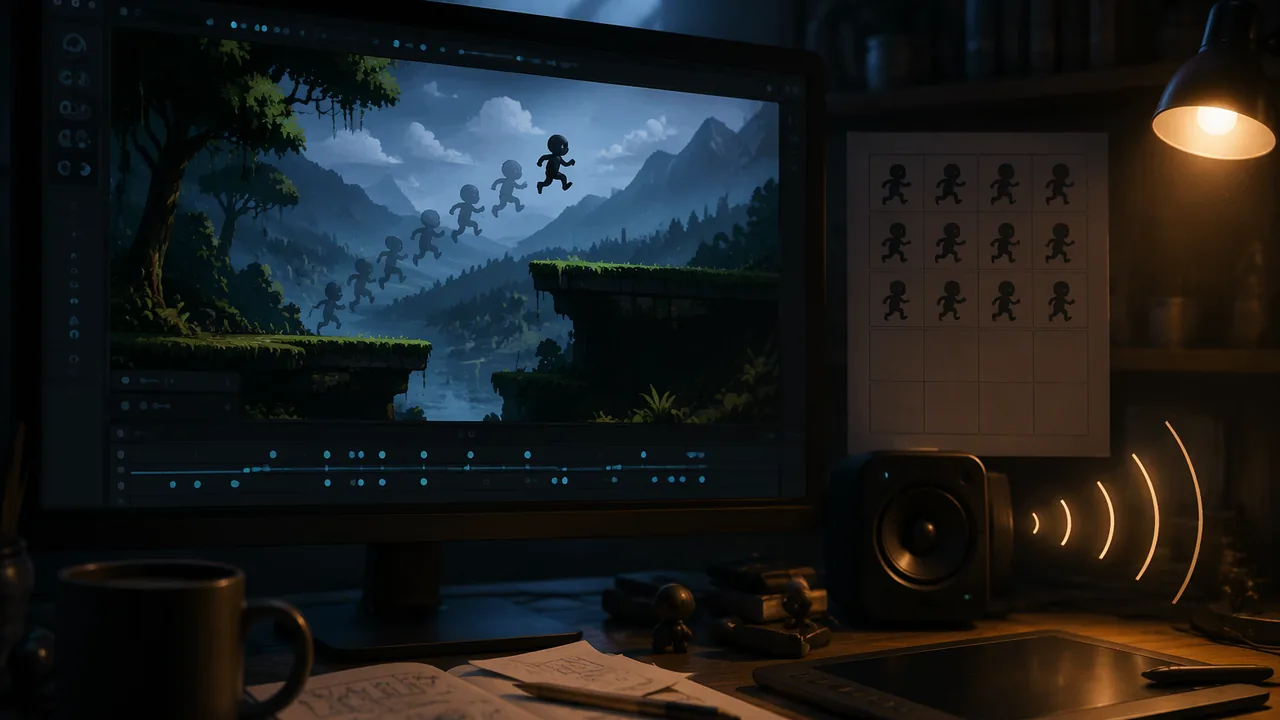
add frame animations (from separate frames and from a sprite sheet), a parallax background and imported sound in a suitable format to my platformer character, and explain how parallax creates the illusion of depth.
Instruction
Your platformer character works, but it slides around as a still image in silence. Animation, depth and sound turn a working prototype into something that feels alive. (Adapted from the Godot documentation’s “2D sprite animation”, “2D Parallax”, “Audio streams” and “Importing audio samples” pages, CC BY 3.0.)
Frame animation. A sprite animation is a sequence of still images shown quickly, like a flip-book. Godot’s AnimatedSprite2D node plays named animations stored in a SpriteFrames resource. You create animations such as idle, run and jump, add frames to each, and set a speed in frames per second. Eight to twelve frames per second suits most pixel-art walk cycles; faster looks frantic, slower looks sluggish. The key principles come from traditional animation: squash and stretch (a body compresses on landing), anticipation (a crouch before a jump) and timing.
Sprite sheets. The Godot manual notes that a downloaded animated character comes in one of two ways: as individual images or as a single sprite sheet, one bitmap holding every frame in a grid. Godot turns the sheet into frames for you. In the SpriteFrames panel choose “Add frames from a Sprite Sheet”, open the sheet, and set the number of horizontal and vertical images. A sheet 128 pixels wide and 64 tall that holds eight 32-pixel frames is a grid of 4 across and 2 down (128 ÷ 32 = 4; 64 ÷ 32 = 2). Then click the frames you want, in order, and add them to an animation. A plain Sprite2D can show one cell of a sheet too: set hframes to 4 and vframes to 2, and its frame property picks the cell. Slicing a sheet changes how the bitmap is used, not the file: the frames are cut from it each time the game runs, so you can repaint the sheet in Krita or GIMP and the animation updates.
Choosing the animation in code. Replace the character’s Sprite2D with an AnimatedSprite2D, add an AudioStreamPlayer2D named JumpSound, and extend the script from Lesson 3.2:
@onready var sprite: AnimatedSprite2D = $AnimatedSprite2D
@onready var jump_sound: AudioStreamPlayer2D = $JumpSound

func _physics_process(delta: float) -> void:
	if not is_on_floor():
		velocity.y += gravity * delta
	if Input.is_action_just_pressed("jump") and is_on_floor():
		velocity.y = jump_velocity
		jump_sound.play()
	var direction := Input.get_axis("move_left", "move_right")
	velocity.x = direction * speed
	move_and_slide()
	update_animation(direction)

func update_animation(direction: float) -> void:
	if direction != 0.0:
		sprite.flip_h = direction < 0.0
	if not is_on_floor():
		sprite.play("jump")
	elif direction != 0.0:
		sprite.play("run")
	else:
		sprite.play("idle")
flip_h mirrors the sprite when moving left, so one set of frames serves both directions. Calling play() with the animation that is already playing lets it continue, so calling it every frame is safe. The order of the checks is a small state machine: in the air beats running, and running beats standing.
The illusion of depth. A 2D screen is flat, but artists have faked depth for centuries: distant things are smaller, higher on the page, lighter and bluer (atmospheric perspective), and nearer things overlap farther ones. Games add motion: when you look out of a moving car, nearby posts rush past while distant hills barely move. That is parallax. Godot’s Parallax2D node scrolls its children across the screen at a fraction, set by scroll_scale, of the rate at which the ordinary world scrolls. When the camera moves 400 pixels, the ground (an ordinary scale of 1) slides 400 pixels across the screen, a hills layer at scroll_scale 0.5 slides 200 and a mountain layer at 0.2 slides only 80. The eye reads the difference as distance. Setting repeat_size to the width of the layer’s image makes it tile endlessly.
Sound. Sound tells players the game heard them and sets the mood. Choosing a format. Godot imports three audio formats, and its manual compares them. WAV stores raw, uncompressed samples: it costs almost nothing to play, so hundreds can sound at once, but it is large, about 88 KB for one second of 16-bit, 44 kHz mono. Ogg Vorbis compresses strongly, about 16 KB per second at 128 kilobits per second in stereo, but takes more processing to play. MP3 compresses less well than Ogg Vorbis for the same quality (about 24 KB per second at 192 kilobits per second in stereo) but needs less processing, which helps on phones and the web. Compressed formats discard detail the ear is unlikely to miss, so quality falls as the bit rate falls. The manual’s advice: WAV for short, repetitive effects; Ogg Vorbis for music, speech and long sounds. A 60-second music loop shows why: about 88 × 60 = 5,280 KB as mono WAV, but about 16 × 60 = 960 KB as Ogg Vorbis. (MIDI, another format you may meet, stores notes rather than sound, so it is tiny, but it sounds different on every device, and Godot does not import it as audio.) Importing. Audio can come from your own microphone or phone recordings, from CC0 or CC BY packs, or pulled from a video you made. Copy the file into the project folder, and Godot imports it. Select it in the FileSystem dock to see its settings in the Import dock: for WAV you can trim silence, normalize and force mono; for Ogg Vorbis and MP3 you can turn Loop on. Click Reimport after any change. An AudioStreamPlayer plays sound everywhere at the same volume, suitable for music; an AudioStreamPlayer2D gets quieter with distance from the camera, suitable for effects in the world. Keep effects short, and never let a frequent sound grate: a coin sound heard 500 times must stay pleasant.
Credit everything. Keep a credit list as you import: asset, creator, source and license. Kenney assets are CC0, so credit is optional but courteous; music under CC BY requires credit.
Listening safely. Keep headphone volume at a comfortable level, well below the maximum, and take breaks. Hearing damage from loud sound is permanent.
📖 Read for this lesson
The reading opens over the lesson; close it to come back to exactly where you were. The checks below draw on it.
Build: Animated character, parallax background and sound
Question. Which combination of animation speed, parallax scroll scales and sound makes the character and world feel most alive and readable to a player?
Materials
- Your platformer project from Lesson 3.2 in the Godot 4 desktop editor
- A Kenney character pack with idle, walk and jump frames (including one sprite sheet, or a sheet you assemble), a Kenney background pack with layered backgrounds, and a Kenney audio pack (all CC0, downloaded from kenney.nl with no account)
- Headphones
- A credit list template (asset, creator, source, license)
- Set headphone volume low before playing any sound, then raise it gradually; keep it comfortable and take breaks.
- Keep the ergonomic set-up and 20-20-20 breaks.
- Back up the project before replacing the Sprite2D with an AnimatedSprite2D.
Procedure
- Replace the player’s Sprite2D with an AnimatedSprite2D. In its Sprite Frames property create a new SpriteFrames, open the SpriteFrames panel, and create animations idle, run and jump from the Kenney frames. Set run to 10 frames per second. Build the jump animation from a sprite sheet instead: choose “Add frames from a Sprite Sheet”, set the horizontal and vertical counts to match the sheet’s grid, and add the frames in order.
- Copy a short Kenney sound into the project, select it in the FileSystem dock and check its Import dock settings (trim and normalize for a WAV). Add an AudioStreamPlayer2D named JumpSound and assign the sound. Update the player script with the animation and sound code, and run.
- Add a Camera2D as a child of the player so the view follows it, and widen the floor so there is room to run.
- Add three Parallax2D nodes to the level, each with a Sprite2D child holding one background layer: sky (scroll_scale 0.1), mountains (0.3) and hills (0.6). Set each layer’s repeat_size to its image width.
- Add background music with an AudioStreamPlayer: select the Ogg file, enable Loop in the Import dock and click Reimport. Set its volume lower than the effects. Record the size of each audio file in your project folder and its format.
- Test three versions: run animation at 6, 10 and 16 frames per second. Show the three versions to a family member, or watch them yourself after a ten-minute break, and record which reads best and why. Complete your credit list.
Data
| Setting tested | Value | Tester’s description (family member, or you after a break) | Keep? |
|---|---|---|---|
| Run animation speed | 6 fps | ||
| Run animation speed | 10 fps | ||
| Run animation speed | 16 fps | ||
| Hills scroll_scale | 0.6 | ||
| Jump sprite sheet grid | ____ across × ____ down |
| Audio file | Format | Length (s) | Size (KB) | KB per second |
|---|---|---|---|---|
| Jump effect | ||||
| Music loop |
Analysis
- If the camera moves 600 pixels, how far does each of your three layers appear to move? Explain why the eye reads this as depth.
- Which animation speed did your tester (or you, after a break) prefer, and why might it depend on the character’s size and speed?
- How did adding sound change how the jump felt? Describe the difference in one sentence as a player would.
- Divide each audio file’s size by its length. Which format used more kilobytes per second, and why is that format still the right choice for that sound?
If you cannot do this build in person: Without Godot, draw a six-frame walk cycle as a flip-book on sticky notes and time it at two speeds; draw a three-layer landscape on separate strips of paper and slide them past a window cut in card at different rates to see parallax; list three sounds your character would make with a short description of each; and use the Godot manual’s figures (WAV 88 KB, Ogg Vorbis 16 KB per second) to compute the size of a 45-second music loop in each format.
Formative check
Work through these before moving on. They are not graded — they tell you whether the standard below has landed yet.
The camera moves 500 pixels to the right. A Parallax2D layer with scroll_scale 0.4 appears to move pixels, and a layer with scroll_scale 0.1 appears to move pixels.
Which node should play background music that stays at the same volume wherever the camera is?
Setting sprite.flip_h = true when moving left lets one set of right-facing frames serve both directions.
Missouri standard: MM.AUD.1
Using the Godot manual’s figures, a 30-second music loop is about 88 × 30 = KB as 16-bit, 44 kHz mono WAV, and about 16 × 30 = KB as 128 kb/s Ogg Vorbis.
Missouri standard: MM.ANI.4
A sprite sheet is 192 pixels wide and 32 pixels tall and holds a row of 32-pixel frames. What do you enter in “Add frames from a Sprite Sheet”?
Missouri standard: MM.AUD.2
You copied a music file, theme.ogg, into the project, but in play it stops after one pass. Where do you fix it?
How confident are you that you can animate a character, build a parallax background and add sound?
Practice
Work these on paper or in your notebook, then open Check your answer. Aim for all of Fluency and Application; try at least one Challenge.
Printable version: this unit’s practice workbook (PDF)
Fluency
Build speed and accuracy with the core skill.
- The camera moves 800 pixels to the right. How far do layers with scroll_scale 0.1, 0.3 and 0.6 appear to move, and how far does the ground (scale 1) move?
Check your answer
Answer: 80, 240 and 480 px; the ground moves 800 px.Multiply the camera movement by each scroll_scale: 800 × 0.1 = 80, 800 × 0.3 = 240, 800 × 0.6 = 480. - A sprite sheet is 256 pixels wide and 96 pixels tall, made of 32 × 32 frames. What horizontal and vertical counts do you enter, and how many frames does it hold?
Check your answer
Answer: 8 horizontal, 3 vertical; 24 frames.256 ÷ 32 = 8, 96 ÷ 32 = 3, and 8 × 3 = 24. - Which Godot audio format does the manual advise for (a) a short coin sound played hundreds of times; (b) a three-minute music track? Which node plays each?
Check your answer
Answer: (a) WAV, played by an AudioStreamPlayer2D placed in the world; (b) Ogg Vorbis, played by a non-positional AudioStreamPlayer.WAV costs almost nothing to play but is large; Ogg Vorbis compresses strongly and suits music, speech and long sounds.
Application
Use the skill in context. Show your reasoning.
- Using the Godot manual’s figures (WAV mono about 88 KB/s, Ogg Vorbis about 16 KB/s, MP3 about 24 KB/s), find the size of a 90-second music loop in each format.
Check your answer
Answer: WAV ≈ 7,920 KB; Ogg Vorbis ≈ 1,440 KB; MP3 ≈ 2,160 KB.88 × 90 = 7,920; 16 × 90 = 1,440; 24 × 90 = 2,160. Ogg is the manual’s choice for music. - Code reading: in update_animation, the character is moving right while in the air. Which animation plays, and why?
Check your answer
Answer: “jump”. The check for not is_on_floor() comes first, so in the air beats running.The order of the if / elif / else checks is a small state machine: in the air beats running, and running beats standing. - Find the bug: sprite.flip_h = direction > 0.0. The art is drawn facing right. What does the player see, and what is the fix?
Check your answer
Answer: The character faces backward: mirrored when moving right and unmirrored when moving left. Fix: sprite.flip_h = direction < 0.0.flip_h should be true only when moving left, so the right-facing frames serve both directions. - A run animation has 8 frames. How long does one full cycle take at 10 frames per second? At 16?
Check your answer
Answer: 0.8 s at 10 fps; 0.5 s at 16 fps.8 ÷ 10 = 0.8 and 8 ÷ 16 = 0.5. The lesson says 8 to 12 fps suits most pixel-art walk cycles; faster looks frantic. - Describe three ways artists fake depth on a flat screen, then explain what parallax adds.
Check your answer
Answer: Distant things are smaller, higher on the page, and lighter and bluer (atmospheric perspective); nearer things overlap farther ones. Parallax adds motion: near layers move across the screen faster than far ones, which the eye reads as distance.In Godot, smaller scroll_scale values look farther away.
Review
Keep earlier skills sharp.
- Review (Lesson 3.2): the animation code reuses the platformer script. Which line makes the character fall, and why is it inside if not is_on_floor()?
Check your answer
Answer: velocity.y += gravity * delta. Gravity is added only in the air; on the floor move_and_slide() keeps the body standing.Gravity is a constant downward acceleration added to velocity each frame.
Animation, Sprite Sheets, Parallax and Sound: The Numbers, Audio Formats and a Credit List Format
SLS original; audio-format sizes from the Godot documentation, “Importing audio samples” (CC BY 3.0), and sprite-sheet steps from “2D sprite animation”, read 2026-11-10; Godot documentation license per the Godot FAQ (CC BY 3.0), read 2026-09-26 · SLS original
Why this reading. The lab has you animate a character (from frames and from a sprite sheet), build a parallax background, choose and import sound formats, then keep a credit list. This sheet works the animation timing, the sprite-sheet grid, the parallax and the sound-file arithmetic with numbers you can check, and shows a credit list in the required format. Names in the credit example are placeholders, not real creators. The build follows the Godot documentation (CC BY 3.0, Juan Linietsky, Ariel Manzur and the Godot Engine community), whose license is stated in its FAQ.
Animation timing
A 6-frame run cycle at 10 frames per second lasts 6 ÷ 10 = 0.6 s, and each drawing is held 0.1 s, which is 6 physics frames at 60 fps. At a running speed of 220 px/s one cycle carries the character 220 × 0.6 = 132 pixels. For a sprite 32 pixels wide that is 4.1 body-widths per cycle; if the feet appear to slide on the ground, raise the fps or speed up the drawings until the stride matches.
Sprite-sheet grids
Frames across = sheet width ÷ frame width; frames down = sheet height ÷ frame height.
| Sheet (px) | Frame (px) | Across × down | Frames |
|---|---|---|---|
| 128 × 64 | 32 × 32 | 4 × 2 | 8 |
| 192 × 32 | 32 × 32 | 6 × 1 | 6 |
| 256 × 256 | 64 × 64 | 4 × 4 | 16 |
Enter the across and down counts in the SpriteFrames panel’s “Add frames from a Sprite Sheet” window, or in a Sprite2D’s hframes and vframes.
Parallax: how far a layer appears to move
Apparent movement = camera movement × scroll_scale.
| scroll_scale | Camera moves 400 px | Camera moves 500 px |
|---|---|---|
| 1.0 (ground) | 400 | 500 |
| 0.5 (hills) | 200 | 250 |
| 0.4 | 160 | 200 |
| 0.2 (mountains) | 80 | 100 |
| 0.1 | 40 | 50 |
The eye reads the difference between layers as distance: the mountains at 0.2 move 80 pixels while the ground moves 400. Set repeat_size to the width of the layer’s image so it tiles.
Sound-file arithmetic
Audio is measured in samples per second. At 44,100 samples per second, one 60 fps frame is 44,100 ÷ 60 = 735 samples, so a 0.1 s silence at the start of a jump sound is 4,410 samples, six frames, a delay every player can feel. A 16-bit mono WAV uses 2 bytes per sample: a 0.3 s jump effect is 44,100 × 0.3 × 2 = 26,460 bytes (about 26 KB); the same in stereo is 52,920 bytes. Music is longer, so use Ogg Vorbis for it, as the lesson says; a 60-second WAV in mono would be 5.3 million bytes.
Formats compared (Godot documentation, one second of audio)
| Format | 1 second | 60-second loop | Best use (Godot’s advice) |
|---|---|---|---|
| WAV 16-bit, 44 kHz, mono | 88 KB | 5,280 KB | Short, repeated effects; cheap to play |
| MP3 192 kb/s, stereo | 24 KB | 1,440 KB | Mobile and web projects where processing is limited |
| Ogg Vorbis 128 kb/s, stereo | 16 KB | 960 KB | Music, speech and long sounds |
| Ogg Vorbis 96 kb/s, stereo | 12 KB | 720 KB | Same, at lower quality |
The documentation notes that MP3 and Ogg figures vary with the encoding; these use constant bit rate. Import settings are in the Import dock: trim, normalize and force mono for WAV; Loop for Ogg Vorbis and MP3; click Reimport after a change.
Credit list in the required format
| Asset | Creator | Source | License |
|---|---|---|---|
| jump_01.wav | Student (own recording) | Recorded at home | Own work |
| hills layer | [creator name] | [link to the page where it is offered] | CC0 |
| music loop | [creator name] | [link] | CC BY 4.0; credit line: “Title by Creator, licensed CC BY 4.0” |
Fill every square before you import the file; if you cannot, do not use the asset in anything you publish. Keep headphone volume well below the maximum.
Sources: Godot FAQ (documentation license) (docs.godotengine.org); Godot documentation, Importing audio samples (docs.godotengine.org); Godot documentation, 2D sprite animation (docs.godotengine.org)